From Dogecoin Wallet to Dogecoin App
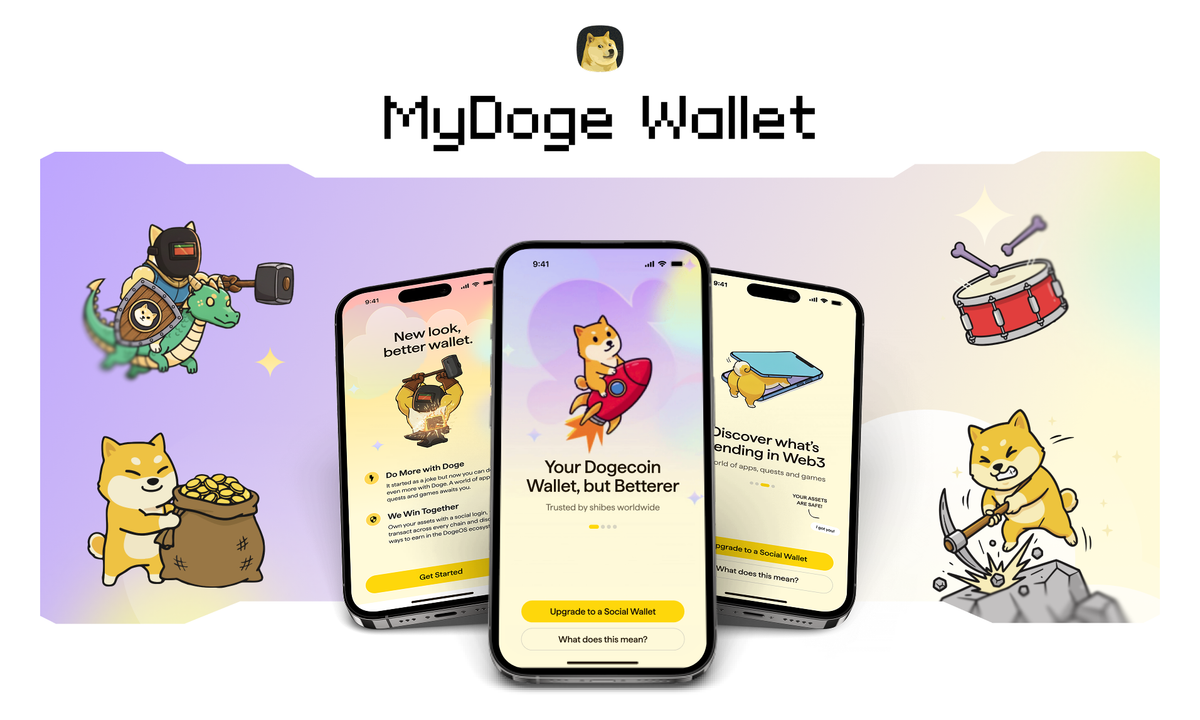
For a long time, if you asked what you could do with Dogecoin, the answer was pretty simple: hold it, send it, tip someone on X, or buy from a merchant who accepted it. That hasn't changed much in 13 years. Meanwhile, other cryptocurrencies have built huge ecosystems of apps, exchanges, games, and financial tools. Dogecoin has a massive community, but not many uses for the actual coins. MyDoge V3 is where that starts to change. MyDoge V3 is live today on iOS and Android. It arrives as an app update, your existing wallet comes with you, and when you open it, there is considerably more to do than there was yesterday. Let’s dig into why.
Why we built MyDoge in the first place
MyDoge first came out in early 2022. At that time, Dogecoin had a huge number of holders and a really strong community, but it seemed like nobody was creating things just for them. Sure, there were wallets that supported DOGE along with a lot of other coins, but none of them really felt like they were made specifically for Dogecoin fans.
So, we built one. We put out a tweet about it, and the community took it from there. MyDoge grew to hundreds of thousands of users without a paid acquisition machine behind it, because people wanted somewhere to keep their DOGE that treated Dogecoin as the center point rather than a line item.
What we learned from those years is that nobody in this community needs convincing to care about Dogecoin. They already care, and what they have needed is more places where caring about Dogecoin leads somewhere. That is the problem DogeOS was built to solve, and V3 is where MyDoge connects to it.
Your old wallet is still your old wallet
Before anything new, the part that matters most if you have been with us a while.
Your existing MyDoge wallet does not go anywhere. After you update, it becomes your Classic Wallet, with the same seed phrase, the same private key, the same Dogecoin address, and the same assets. Your username, profile picture, and wallet cloud backups all carry across. Buying, sending, receiving, MyDogeTip, profiles, activity, QR payments, and your existing security settings are all still there.
There is no separate app to download. V3 comes through the regular update on iOS and Android. Before you upgrade, check that your Classic seed phrase is saved somewhere safe. Social Wallet has its own separate phrase, which you can (and should) also retrieve once two-factor authentication is set up.
Social Wallet, and why there are now two
V3 introduces a second wallet alongside Classic Wallet, called Social Wallet, which you create by signing in with X. Once it is set up, the wallet selector above your balance lets you move between the two, showing the balance of whichever wallet you have selected rather than combining them into a single number.
Both wallets support multiple chains, swaps, and Dogecoin apps. The one thing that needs Social Wallet is MyDogeTip, since tipping runs through your X account. The main difference is how you access them.
Classic Wallet works the way crypto wallets traditionally have, through a seed phrase that you are responsible for keeping safe. Social Wallet is designed around a login people already know: X, which is the obvious place to start because so much of Dogecoin already happens there. The community, the memes, and many of the accounts people associate with Dogecoin all live on X, so signing in that way connects your wallet to an identity you may already use across the Dogecoin community.
Moving DOGE between the two wallets is optional. If you would rather keep everything in one place, MyDoge walks you through a one-time transfer between them, with only the standard Dogecoin network fee and nothing added by us.
On security
MyDoge is self-custodial, which means your assets remain yours: we cannot move them, and nobody at MyDoge can recover a wallet on your behalf. Both wallets have a seed phrase. Classic Wallet works as it always has, with the phrase you already hold, while Social Wallet also has a seed phrase that can be retrieved when two-factor authentication is enabled, following a 48-hour confirmation period. That delay gives you time to spot a retrieval request you did not make and take action before access is granted.
When you create a Social Wallet, set up two-factor authentication inside MyDoge and add a recovery email, which gives you another route back into your wallet if you ever lose access to your X account.
Because Social Wallet is accessed through your X login, the security of that account becomes part of your wallet security as well. Turning on two-factor authentication for X is strongly recommended, alongside the usual precautions: be careful about what you sign in to, treat unsolicited support messages with suspicion, and assume anyone asking for your seed phrase is trying to steal it.
V3 also adds encrypted seed-phrase storage, passkeys, authenticator app support, email verification, and PIN and biometric protection for sensitive actions.
DogeOS apps open inside the wallet
DogeOS apps are now accessible directly from MyDoge. You open the app, pick something from the home screen, and use it right there with your Social Wallet. This is the first time a DOGE balance and an app ecosystem have sat next to each other. DogeOS is a separate application layer where developers build apps around DOGE (currently on testnet), and MyDoge is where anyone holding DOGE reaches them.
The apps cluster into a few groups. Games are the largest by some distance. Then there is the financial layer, covering swaps, lending, staking, and stablecoins, which is what turns a balance sitting in a wallet into an actual onchain economy. Beyond those, there are AI apps, prediction markets, and more.
Builders who want to work on that have the DogeOS SDK at sdk.dogeos.com, which supports MyDoge V3 integrations into external applications.
The Grand Heist is where to begin
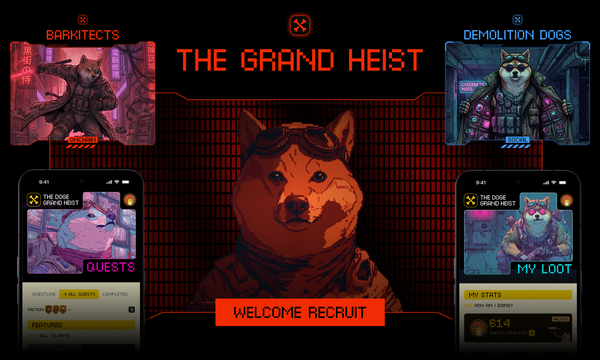
There is a lot to look at in V3, so we did not want to hand you a list of apps and leave you to it. So V3 ships with a mission. The Grand Heist is the DogeOS questing experience, and you can reach it directly from MyDoge. You explore the ecosystem while completing actions, earn XP and badges, and pick up items used across DogeOS along the way. New quest lines open periodically as more apps and community activations come online, so it is an ongoing journey through the ecosystem rather than a checklist you finish once.
Over time, what you do across DogeOS starts to add up to a record of participation: who turned up early, who tried what, who stuck around through the quiet parts. Soulbound and tradable assets are part of where this goes, giving that history somewhere to live inside the product instead of only in memes, old posts, and community memory.
MyDoge is multichain now
Dogecoin people own other things. Building around the pretence that they do not would make for a worse wallet, so V3 supports Dogecoin, Bitcoin, Ethereum, Solana, BNB Chain, Arbitrum One, Base, Optimism, and Polygon, alongside the DogeOS Chikyū testnet.
Multichain swaps are live at launch for supported token pairs, depending on route and liquidity availability, so moving between supported assets happens inside the same app.
We did not add this to become another wallet with an endless chain list on a marketing page. We added it because if you hold DOGE next to BTC, ETH, SOL, and stablecoins, and MyDoge only handles one of them, you end up living in somebody else's wallet most days. DOGE stays the centre of this product. The rest of your portfolio can come along rather than pulling you away from it. More networks will follow based on what people actually use and ask for.
MyDogeTip is not going anywhere
Some things never needed fixing. Dogecoin spread through internet tipping long before anyone thought to give that behaviour a category name, and tipping is still the thing this app does best.
MyDogeTip works the same way in V3. You connect your X account through MyDoge, post a tip through @MyDogeTip with the recipient and the amount, and confirm it from your wallet. If the recipient already uses MyDoge, it goes straight between wallets. If they have not finished setting up, the tip sits pending until they connect. We never take custody of the DOGE involved at any point. Tipping runs through Social Wallet, since it works off your X account. If you have only set up Classic Wallet, create a Social Wallet to send and receive tips.
What comes next
V3 launches with DogeOS apps, The Grand Heist, multichain wallets, and swaps. And there are more features coming.
The AI Feed will bring the social side of Dogecoin into MyDoge, surfacing what the community is talking about without requiring users to build another follower list from scratch. Drawing from established Dogecoin voices and leading accounts across crypto, the feed uses AI to curate relevant conversations, creating a direct line between what is happening across X and what users find inside the wallet. DogeOS NFT support follows after mainnet, while soulbound and tradable assets build on the identity layer introduced through quests, giving participation, achievements and ownership a more permanent place across the DogeOS ecosystem.
Further out, as DogeOS protocols come online, MyDoge becomes an access point for borrowing, staking, and earning on DOGE. MyDoge V3 is mobile. There is no desktop or browser extension version at launch.
Dogecoin App
MyDoge started as a simple way to hold, send, and tip DOGE. V3 keeps that foundation and adds a much broader way to use it, through DogeOS apps, swaps, quests, assets, and new social features. Dogecoin has had the community for years. Now it starts getting the application layer to match. You already have DOGE. Now there is more to do with it.
Your Classic Wallet stays yours, your DOGE stays under your control, tipping stays. Around all of that, there is now a Social Wallet, a set of apps built specifically for Dogecoin, swaps across nine networks, quests worth doing, and the start of a much larger economy around the funniest money on the internet.
Update MyDoge on iOS or Android, open The Grand Heist, and see what is out there. Building something for Dogecoin? Start at sdk.dogeos.com.